


MiniMax H3 Image Generator —
Photoreal AI Images with Sharp, Legible Text
Generate images from text or edit with up to 16 reference images. Choose 1K, 2K or 4K output.
Image Generation Settings
Select Model
Generation Mode
0/5000 characters
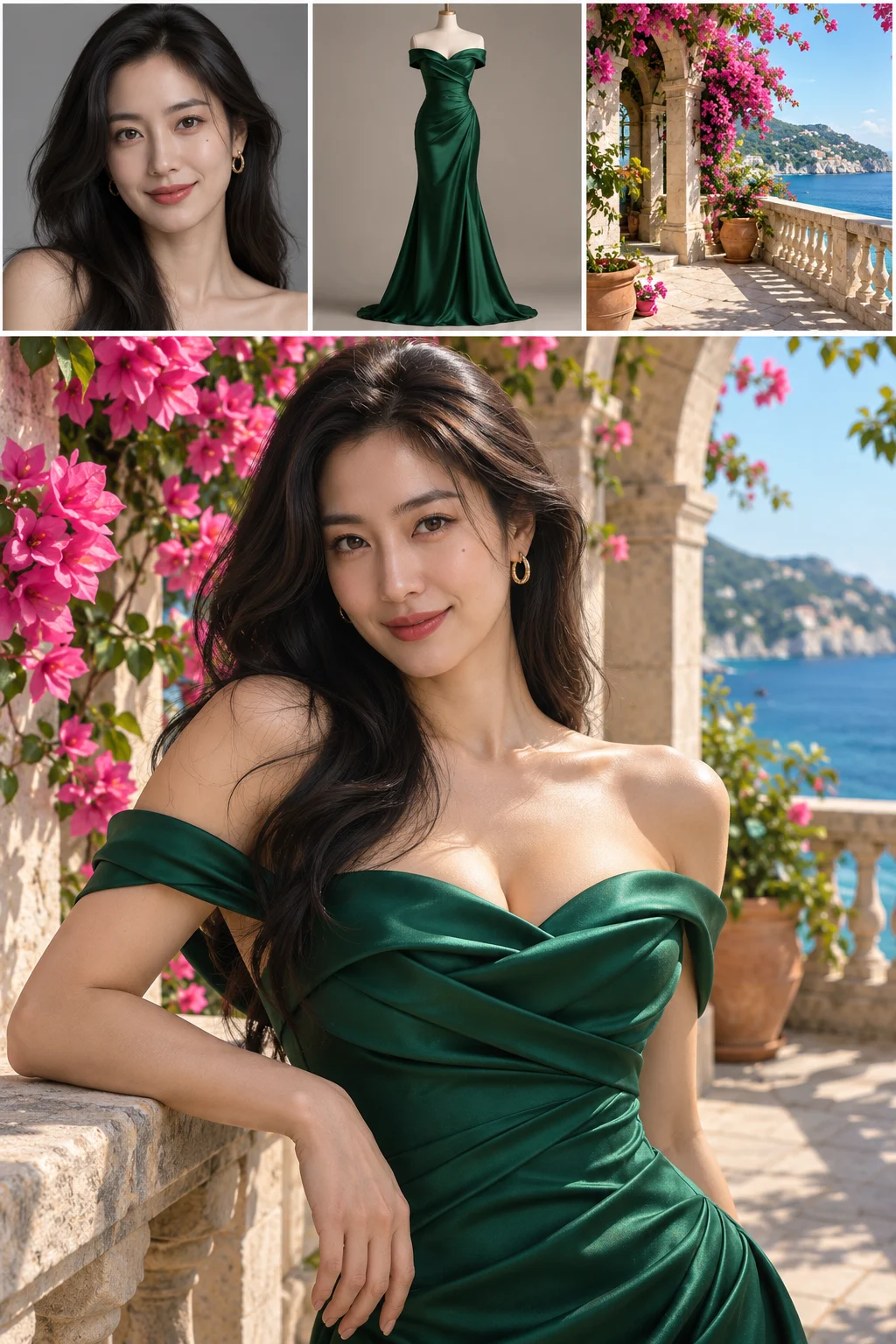
Multi-reference composition
View prompt
Create a polished vertical 2:3 visual demonstration board for a fashion image compositing tool. In a narrow top strip show THREE clearly separated reference photographs: beautiful adult East Asian woman age 28 with long black hair in a neutral studio headshot; sculptural emerald satin off-shoulder evening gown on mannequin; luxurious sunlit Mediterranean terrace with sea and bougainvillea. The large lower 78 percent is ONE breathtaking editorial photograph combining these references: same beautiful adult woman wearing that emerald dress on that terrace, elegant alluring fashion pose, waist-up portrait, golden sunlight, vivid ocean blue and pink flowers, believable skin and silk detail. Clear thin white gutters between input photographs and output, no text labels, no logos, no watermarks. Portrait composition. These are original imaginary people.
No Results Yet
Enter a prompt and click Generate to create your first MiniMax H3 result.
Text-to-image and editing
Up to 16 references
1K · 2K · 4K output
Credits shown before generation
MiniMax H3 Image Examples & Prompts
Explore six MiniMax H3 image examples: product ads, typography, future cities, cinematic scenes and reference edits. Select a card for the full result and actual prompt.
Text to image
Cobalt-blue perfume campaign
Explore glass, metal and water with contrasting warm and cool light.
Original prompt
Luxury perfume campaign photograph. A single sculptural cobalt-blue glass perfume bottle with a brushed silver cap, standing on a wet black volcanic rock plinth. A sharply defined arc of water curves behind the bottle, tiny droplets suspended in the air, one vivid green lime slice in the foreground. Electric blue edge lighting and warm sunlight through the glass, deep navy background, cinematic studio reflections, realistic glass thickness and water. Bold clean composition with the bottle large and centered, premium editorial art direction, extraordinary material detail. No logos, no text, no watermark.Generated with MiniMax H3 Image · 2K · 2026-11-11
Use this promptCreative strengths of MiniMax H3 Image
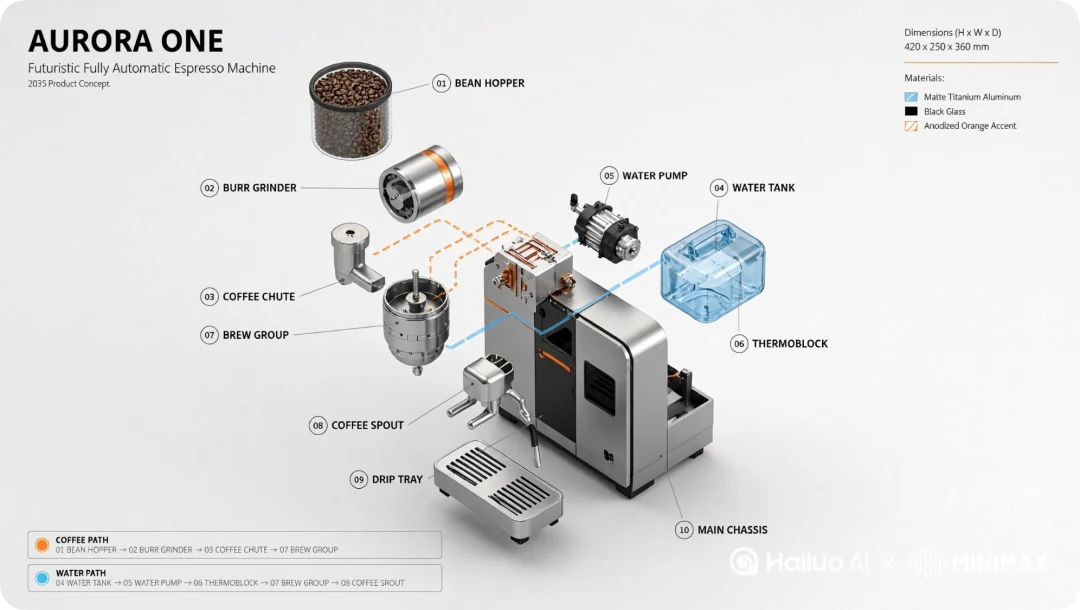
Complex instructions and spatial relationships
MiniMax H3 Image turns detailed creative briefs into compositions that account for subject placement, depth, viewpoint and relationships between objects. Explore exploded product views, game scenes with interface elements and structured infographics, with the layout and details working toward the same idea.
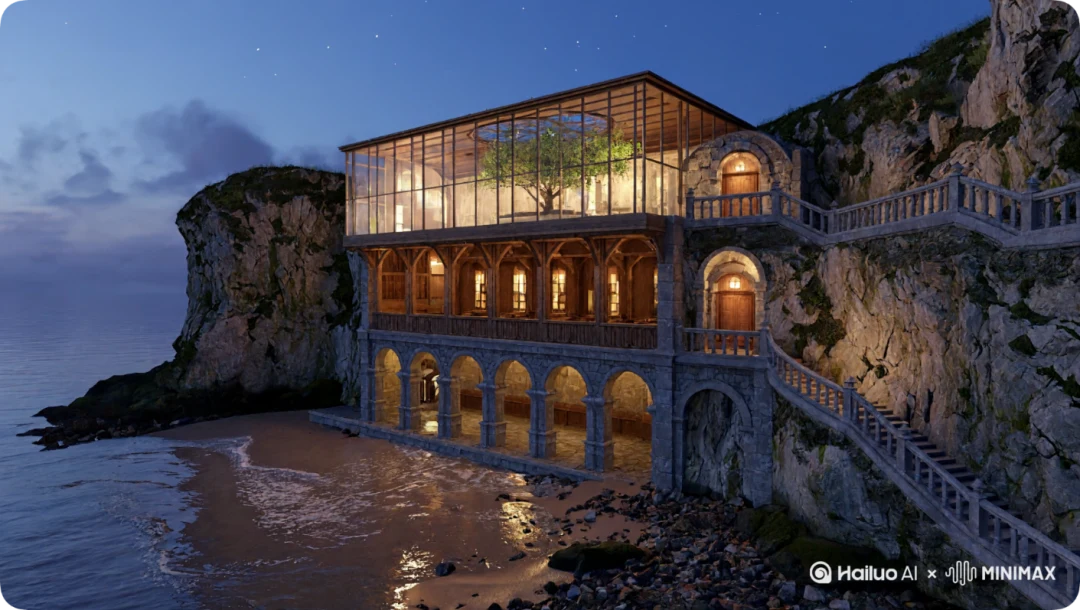
Cinematic aesthetics across visual styles
Explore a concept as CG game art, vintage film photography, ink and watercolor, or a tactile handmade scene. H3 Image brings color, lighting, composition and atmosphere together for game worlds, character concepts and brand visuals.
Text that belongs in the composition
Generate headlines, product labels and short annotations alongside their typography, placement and visual hierarchy. Use it for posters, packaging concepts and labeled illustrations. The sports poster example shows actual generated English text; long passages and dense small print still need proofreading.
Multiple references and subject consistency
Use up to 16 reference images for a character, outfit, product, material and environment. Assign each image a role to bring separate elements into one scene, using references to guide identity and product details when changing the setting or refining an edit.
4K detail and natural materials
Choose 1K, 2K or 4K output to render glass reflections, fabric texture, skin detail and architecture, with more room for close inspection and cropping at higher resolutions. Create product campaigns, character sheets and large-format key visuals with the output setting available in this generator.
MiniMax H3 Image: references, text edits and high-resolution output
Choose your inputs and output resolution in the same generator, from a text brief to a multi-reference edit.
Up to 16 reference images
Supply separate images for a person, product, outfit or setting and explain each role in the prompt. References add to the credit cost. Upload only the images needed for this task and refer to them by number.
Describe changes in words
Say which elements should remain and which should change. Start product background swaps, new portrait settings or multi-image compositions with a precise instruction, then refine the text and details.
1K, 2K and 4K output
Start at the default 2K or select 1K or 4K and an available landscape or portrait ratio. 1K and 2K cost the same; 4K costs more credits. This generator currently returns one image per request.
Use cases
What to create with MiniMax H3 Image
Turn detailed briefs into visual concepts, from game worlds and product studies to brand posters and character sheets.
Product campaigns and industrial concepts
Create product scenes, material studies and exploded views that combine appearance, component layers and camera angle in one brief. The perfume example shows glass, water and metal textures. Structural illustrations support concept discussions; they do not replace engineering validation.
CG scenes and game concept art
Explore game key art, futuristic cities, fantasy environments and scenes with HUD elements. Use foreground, middle ground, background and light to shape depth. The city example brings a person, skybridge and harbor into a layered environment concept.
Brand posters and typography
Combine a campaign headline, product visual, palette and typography in a poster, cover or banner. The sports poster pairs short generated copy with a product composition, making text legibility and visual hierarchy easy to inspect.
Character sheets and style exploration
Use a character reference to explore front, side and back views, outfits and expressions, or compare photographic, illustrated and CG treatments. References guide identity details; the character turnaround example demonstrates this creative direction.
How to use the MiniMax H3 image generator
Choose an input mode, describe the image and review the credit total before submitting.
- 1
Prepare text or references
Text-to-image needs no upload. For editing, upload up to 16 JPG, PNG or WebP files, no larger than 10 MB each. Keep subjects clear and order the references to match your prompt.
- 2
Describe the goal and select output
Specify what to keep and change, then choose a ratio and 1K, 2K or 4K. Use the default 2K to explore a direction. The generation button updates the cost for your resolution and references.
- 3
Review, download or edit again
Inspect the finished image and download it. To revise it, choose Continue editing and give a specific instruction about the background, light or composition before creating another result.
Want to animate a still image? Open the image-to-video tool
MiniMax H3 Image modes and credit costs
All prices below are for one generated result. Reference images are inputs, not additional outputs.
| Mode | Input | Best for | Prompt focus | 1K / 2K | 4K |
|---|---|---|---|---|---|
| Text-to-image | Text, no references | New scenes, product concepts, poster artwork | Subject, scene, framing and light | 10 credits | 18 credits |
| Single-image edit | Text + 1 image | Background swaps, atmosphere, detail changes | What to keep and what to change | 13 credits | 21 credits |
| Multi-image example | Text + 2 images | A person and product in a new ad scene | Assign a role to image 1 and image 2 | 16 credits | 24 credits |
Pricing: 10 credits per 1K/2K image or 18 per 4K image, plus 3 credits for each reference.
With 16 references, the total is 58 credits at 1K/2K or 66 at 4K. This generator makes one image at a time and shows the total before submission.
MiniMax H3 image credits and plans
Choose a subscription or one-time credit pack. Image counts assume all listed credits are used without references; 2K and 4K are separate alternatives.
Choose Subscription Plan
Basic
Perfect for individuals and light users
Billed annually at $180.00
INCLUDES
- 300 credits / month
- About 30 images at 1K/2K
- Or about 16 images at 4K
Pro
For professional creators and teams
Billed annually at $468.00
INCLUDES
- 1600 credits / month
- About 160 images at 1K/2K
- Or about 88 images at 4K
Max
Designed for large enterprises and professional studios
Billed annually at $1920.00
INCLUDES
- 9200 credits / month
- About 920 images at 1K/2K
- Or about 511 images at 4K
To cancel your subscription, please contact support: support@minimax3.com
MiniMax H3 Image Generator FAQ
How to generate an image from text or edit one with reference images.
Create your MiniMax H3 image
Describe a new image or upload references and explain the edit. Choose the resolution, review the credits and generate your first result.